Access and initial configuration
To access the Admin Interface for intial configuration:
► 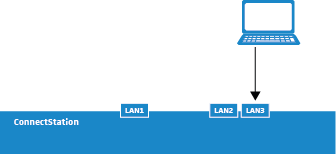

Connect your laptop to the
LAN3 port of the ConnectStation using a standard CAT5 Ethernet cable.
Configure the laptop with the
static IP address
192.168.0.2, subnet
255.255.255.0.
Open a web browser on the laptop and navigate to
192.168.0.10.
Enter the user name and password to login.
• Default user name: admin
• Default password: sennheiser
Follow the instructions in the Admin Interface to perform the initial setup of the ConnectStation.
 During the initial setup you have to choose a network mode. Before choosing the network mode please read "Selecting the network mode".
 For detailed information on configuring the system refer to the "Configuration guide".